Friday, 30 August 2013

Windows Phone 8


Tiles Are Here to Stay
That's right: Windows Phone 8 is obviously still very much a tile-based experience, so if you weren't a fan of them in the first place, you're unlikely to be convinced here to adopt Windows Phone. The good news is, for those of who do enjoy this particular UI, the live tiles are much better implemented this time around.
For one, the tiles are resizable, allowing for more customization on the homescreen. Granted, they cannot be sized freely; come on, that would simply be chaos. Rather, users can choose from three sizes: large, medium, or small. The first two were available on Windows Phone 7 (they were the column-width rectangle and the square, respectively), but the addition of the small size mixes things up a bit, with four small tiles equivalent to one medium tile.

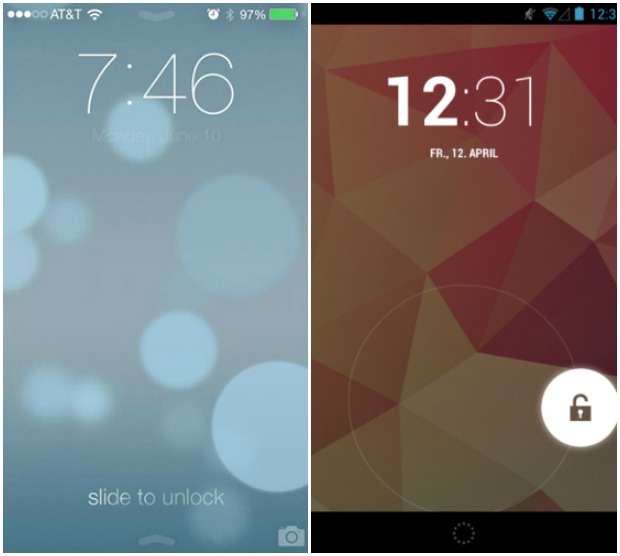
Multitasking In iOS 7 : Multitask Intelligently, And Without A Huge Hit To Battery Life Or Performance

iOS 7 finally brings true multitasking to every iDevices. Of course, iOS has always had fantastic multitasking. From the very first demo of the very first iPhone by Steve Jobs in 2007, its ability to fade music out, take a phone call, click a picture and email it, then return to the phone call, hang up, and fade right back into the music seemed miraculous to the crash-prone competition of the time.
Then the App Store happened, and all those third-party apps weren't allowed anywhere near the background. Things changed in 2010 with iOS 4, when streaming music, VoIP, and turn-by-turn navigation were granted persistent access to multitasking, and many other apps were given a few minutes of leeway, and the ability to go to sleep and restart, theoretically, right where they left off. But it wasn't enough.
Thanks to some system-side smarts, however, it looks like iOS 7, along with a new interface, will make good on the multitasking promise while at the same time protect battery life and performance. If they can do it, they'll be the first to really nail multitasking on mobile.
Here's how Apple describes multitasking in iOS 7:

Thursday, 29 August 2013

Parallels Access Puts OS X And Windows Apps On Your iPad As If They Were Native For Your iDevice.

Parallels has built its name up from a series of software allowing consumers to run Microsoft’s Windows on a Mac. There are, of course, numerous apps offering a similar service, but with ease of use and generally smooth functionality, Parallels Desktop has become the go-to choice for many looking to enjoy the best of both worlds. Now, the company has come through with Parallels Access, an app for iPad that allows convenient remote control access to both Windows and OS X desktops and notebooks.


The thought of connecting a device to a computer for purpose of remote desktop can seem quite intimidating, but Parallels Access is an almost noob-proof app allowing for easy access to Windows or Mac directly from your Apple tablet. In fact, I think the app, with its invitingly tidy interface and spacious placement of the various elements, has been created in an attempt to entice the uninitiated.
Often, it is the case that remote desktop services simply shrink down the desktop as-is, offering a stuttered, pixelated representation of the true desktop experience. Parallels Access works a little differently, instead providing a comfortable new interface from which users can operate.

Saturday, 24 August 2013

Why iOS Has Always Been Smoother Than Android ?


      Anyone who has ever owned a smart phone at some point has been asked “Why not use an iPhone? They’re the fastest and don’t lag!”. Admittedly I use Android almost exclusively, although I have owned iPhone’s in my life. I cannot deny that the iPhone is buttery smooth.

The truth is that IOS is actually not “faster” than Android, and they typically load up applications almost at the same time on both platforms, but it’s the fluidity at which it loads them that makes people love the iPhone. The reason for this fluidity is the way that IOS renders the UI (User Interface) thread, compared to how Android renders it. Android was built with multitasking in mind, so by design Android behaves much like a regular computer does. IOS on the other hand was built to where it should react nearly instantaneously to what your finger does. In short when you put your finger on the screen on IOS everything stops (generally) and puts all it’s resources towards doing what your finger does. Android however is different, your finger isn’t made first priority when it touches the screen. Take your phone right now and start loading a website, as it is loading try to pan around the website without lifting your finger…what happens? If you’re using Android then the web page will continue to load as you pan around, however if you’re on IOS the webpage stops loading until your finger is removed from the screen. You might also notice that the content on the screen doesn’t respond to your finger immediatly on Android whereas it does on IOS.

Thursday, 22 August 2013

Why I Use an iPhone.

I currently use an iPhone 4S and I plan on getting the next iPhone. This wasn’t supposed to be a secret (if you follow me on Twitter then you would have noticed that I use iOS most of the time). I know that a lot of readers did not know, and more importantly, were surprised to read that I use an iPhone. Below you’ll read my responses to questions I have received about why I use iOS, when I made the transition, and why it matters. If you have follow up questions or comments then feel free to leave a comment or reach out to me on Google+ +Bilal B .
You said that there are specific reasons why you use iOS over Android. What are they?
App Store: iOS still has vastly superior apps in every category that matters to me. Apps like iBooks, Yahoo! Weather, Mailbox, Reminders, and Safari provide a vastly better experience than their counterparts or peers on Android. There are admittedly some apps that have counterparts on Android that are better (Path and Hangouts come to mind), but that has been the exception, not the rule, in my experience. There are definitely apps on Android that let you do things that you can’t do on iOS, but the apps on iOS are better for the things I want to do than they are on Android.
Performance: Performance on iOS is more consistent than on Android, especially with the passage of time. I’ve owned and used a lot of Android phones, and most of them slow down over time. Android 4.3 might finally solve that problem for the phones that will actually get it, but time will tell. My iPhone 4S is finally now starting to lag once in a while with returning to the home page or swiping between home screens. It appears to be a bug in iOS that creeps up every so often. Outside of that, however, this is the first phone I’ve had that has lasted me two years without having major performance issues. Maybe that can be explained away by inferior hardware on my previous Android phones or OEM skins or the lack of complexity in iOS, but the reality is that I, and plenty of other people, have recognized that Android seems to become more janky with time.